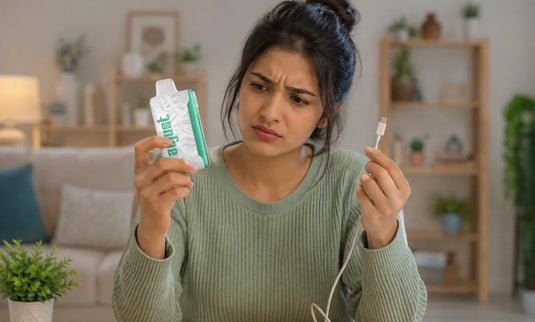
If your Adjust vape is not charging, the problem is usually something simple like a loose connection, a blocked charging port, or a faulty cable, and in most cases, you can fix it in just a few minutes without needing a replacement. The good news is that most of these issues have quick solutions, such as swapping the cable, cleaning the charging port, or changing the power source, that can instantly bring your device back to life. Here, we break down the most common reasons behind this issue and give you clear, step-by-step fixes to help you get your Adjust Vape charging again quickly and without any guesswork.


Common Reasons Your Adjust Vape Won't Charge
Every Adjust device in the lineup runs on an 850mAh rechargeable battery with a USB Type-C charging port, a triple mesh coil, and a digital display that shows your battery and e-liquid levels. When charging stops working, the cause is almost always somewhere along the power path: the cable, the port, the adapter, or the battery itself. Here are the most frequent culprits.
A Faulty or Worn USB Type-C Cable
A damaged charging cable is the number one reason a device stops charging. USB-C cables can wear out internally even when they look fine on the outside, and a cable that still works for your phone may fail at the lower power draw a vape needs. Check the cable for frayed wires, bent connectors, or a loose fit.
A Dirty or Blocked Charging Port
Because most people carry their device in a pocket or bag, pocket lint, dust, and tiny fibers pack into the charging port over time. Even a small amount of debris can block the cable from making proper contact, which leaves your device looking dead when you plug it in.
A Weak Power Source or Wrong Adapter
Not every USB adapter delivers power the same way. High-wattage fast chargers, like the ones made for laptops, can push more power than the device expects and may trigger its built-in protection. A faulty wall outlet or a tired USB port on an old laptop can also fail to deliver a steady charge.
A Battery Nearing the End of Its Life
The 850mAh battery is rated for a set number of charge cycles. If you have used your device heavily across tens of thousands of puffs and it no longer holds power, the battery may simply have reached the end of its useful life.
Quick Fixes to Get Your Adjust Vape Charging Again
You can work through these steps in order. Most people find the problem within the first two or three.
Inspect and swap the USB-C cable. Try using a different, good-quality USB-C cable first, as this is the quickest way to rule out a common issue. Cheap or low-quality cables often fail to deliver a stable charge and can cause intermittent charging problems.
Clean the charging port. Gently remove dust or lint from the Type-C port using a dry toothbrush, a wooden toothpick, or a short burst of compressed air. Take care not to push debris further inside or damage the connector. In many cases, what looks like a faulty device turns out to be something as small as trapped dust.
Try a different power source. Plug the device into another wall outlet or use a basic 5V/1A phone-style adapter instead of a laptop or high-output port. If it starts charging elsewhere, the original power source was the issue.
Skip the fast charger. Stick to a standard low-output wall adapter, as high-wattage fast chargers can sometimes trigger built-in protection modes and stop the device from charging properly.
Read the digital display. One advantage of your Adjust device is the screen, which shows both battery and e-liquid levels. Check whether it shows any charging activity when plugged in. No response usually points to a cable or port issue, while a slow increase indicates normal charging that just needs time.
Check the power switch and Turbo toggle. Ensure the device hasn’t been turned off or left in a mode that makes it seem unresponsive. Toggle the bottom switch and confirm the display lights up.
Give a drained battery time to wake up. If the battery is fully depleted, it may not respond immediately when plugged in. Leave it connected for 30 to 60 minutes so it can build up enough charge to activate, even if nothing appears at first.
Let it cool down. If the device feels warm, place it on a flat surface away from heat or sunlight and wait 10 to 15 minutes. Overheat protection can temporarily pause charging until the temperature returns to normal.
Reach out to support. If none of these steps work, the device may have an internal issue. Contact the retailer you purchased it from and provide your order details for further assistance or replacement options.
When Your Adjust Vape Has Reached the End of Its Life
Sometimes there is no fix, and that is normal for any rechargeable device.
Here are the signs it may be time to replace it:
The device does not power on even after trying multiple cables, adapters, and outlets.
The Type-C port feels loose, damaged, or only charges when held at a certain angle.
You have already used a large portion of the device’s puff capacity, and the battery no longer holds a charge.
Each Adjust model, from the MyCool to the MyRusher, is built on the same 40K-puff platform with 20mL capacity, so when a device is truly worn out, the practical solution is to move on to a fresh one from the lineup.
How to Keep Your Adjust Vape Charging Smoothly
A little care goes a long way in preventing charging issues in the first place:
Store the device away from extreme heat or cold, which can stress the battery.
Keep the Type-C port clean and check it occasionally for lint or dust buildup.
Use a reliable USB-C cable and a standard low-output wall adapter.
Avoid leaving it charging unattended for long periods, and unplug it once it reaches full charge.
Frequently Asked Questions
How long does an Adjust vape take to charge?
With the 850mAh battery and Type-C input, a full charge from empty typically takes around 30 to 60 minutes, depending on your cable and adapter. Watch the on-screen battery indicator and unplug once it reads full.
Does the Adjust vape come with a charger?
No, you will not get an Adjust vape with a charger in the package. Even a charging cable is not included in the box. You have to buy or use a reliable USB-C cable paired with a basic wall adapter.
Why is my Adjust vape blinking while charging?
A blinking light or flashing display can signal that the device paused charging, often because it is too warm or the connection is unstable. Unplug it, let it cool, clean the port, swap the cable, and try again.
Adjust vape not working even after charging: what now?
If the display shows a charge but the device still will not fire, check that it is switched on via the Turbo toggle and that nothing is blocking the airflow or mouthpiece. If it remains unresponsive, the device may have an internal fault and should be replaced through your retailer.
The Bottom Line
Most charging problems trace back to a simple cause: a tired cable, a clogged port, the wrong adapter, or a battery that has run its course. Work through the quick fixes above, and you will usually have your Adjust device charging again in minutes. And when a device has finally reached the end of its run, the full Adjust lineup, from Adjust MyFlavor and Adjust MyCool to Adjust MySour, Adjust MySweet, and Adjust MyRusher, is ready to pick up where it left off. Explore the full collection at Adjustvapedisposable.com to find your next device.