If you are wondering how long it takes to charge an Adjust Vape, you can usually expect a rechargeable Adjust Vape device to take around 30 minutes to 1 hour to fully charge when connected with a compatible USB-C charger. The exact charging time depends on factors like battery capacity, remaining battery level, charging accessories, and device condition.
Knowing the proper way to charge your Adjust Vape can help you avoid common charging issues and keep your device ready when you need it. In this guide, we will explain Adjust Vape charging time, what affects charging speed, how to charge your device correctly, signs that your battery is fully charged, and answer common charging questions.
Quick Answer:
An Adjust Vape usually takes 30 minutes to 1 hour to reach a full charge when using a compatible USB-C charger. A device with a nearly empty battery may take longer, while a partially charged battery may require less time.
Charging speed can vary based on:
Battery capacity
Remaining battery level
Charging cable quality
Power source
Charging port condition
Overall battery condition


Table of contents
How Long Does an Adjust Vape Take to Fully Charge?

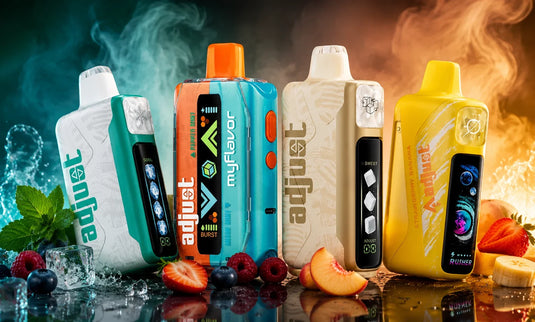
The charging time for an Adjust Vape depends on the specific device model and how much battery power remains before charging begins. Models like Adjust MyFlavor, Adjust MySweet, Adjust MySour, Adjust MyCool, and Adjust MyRusher may have different charging times based on their battery capacity, usage, and charging conditions.
If your device battery is almost completely drained, it may need more time to reach a full charge. If you connect your Adjust Vape while some battery power remains, the charging process may finish faster.
For the best charging experience, use a compatible USB-C charging cable and connect your device to a reliable power source.
Adjust Vape Charging Time at a Glance

Charging Factor |
How It Can Affect Charging |
Low battery level |
A completely drained battery may require more time |
Compatible USB-C charger |
Helps provide a stable charging connection |
Damaged charging cable |
May slow down or interrupt charging |
Dirty charging port |
Can prevent proper connection |
Battery age |
Older batteries may charge differently |
What Affects Adjust Vape Charging Time?
Several factors can influence how quickly your Adjust Vape reaches a full charge. Understanding these factors can help you identify whether your device is charging normally.
Battery Capacity
The battery size affects how much time is needed to recharge your device. Devices with larger batteries generally require more charging time because they store more power.
A larger battery can provide longer usage between charges, but it may also take more time to reach full capacity.
Remaining Battery Level
Your device’s current battery level plays an important role in charging duration.
For example:
A nearly empty battery usually requires a longer charging period.
A partially charged battery may finish charging sooner.
Checking the battery indicator regularly can help you charge your device before the battery completely runs out.
Charging Cable and Power Source
The cable and power source you use can affect charging performance. A compatible USB-C cable and reliable adapter help maintain a consistent connection during charging.
A damaged cable, loose connection, or unsuitable power source may increase charging time or prevent your device from charging properly.
Charging Port Condition
A clean charging port helps your charger connect properly with your Adjust Vape. Dust or debris inside the port can interfere with the connection and may cause slow or inconsistent charging.
Before charging, check the port and carefully remove any visible debris if needed.
Battery Condition
Rechargeable batteries can change over time with regular use. If your Adjust Vape has been used for an extended period, you may notice differences in charging speed compared with when the device was new.
How to Charge Your Adjust Vape Properly

Following the correct charging steps can help maintain a reliable connection and prevent common charging problems.
Step 1: Check Your Charging Port
Before connecting your charger, inspect the charging port to make sure it is clean and free from debris.
A clear charging connection helps your device receive power properly.
Step 2: Connect the USB-C Cable
Insert the USB-C cable into your Adjust Vape carefully. Make sure the cable fits securely without forcing it into the port.
Step 3: Connect to a Reliable Power Source
Plug the other end of the cable into a suitable power source. Avoid using damaged cables or unreliable charging accessories.
Step 4: Monitor the Charging Process
Keep an eye on your battery indicator while your Adjust Vape charges. Once the device reaches a full charge, disconnect it from the charger.
How Do You Know When Your Adjust Vape Is Fully Charged?
Most rechargeable Adjust Vape devices include an indicator that helps you monitor battery status.
Depending on your device model, you may notice:
A charging light while the battery is charging
A changed indicator when charging is complete
A full battery icon or display notification
Since indicators can vary between models, check your device instructions for the most accurate information.
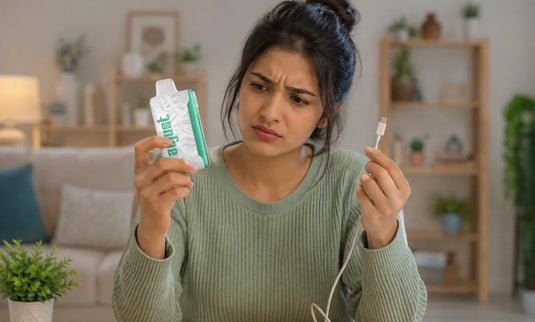
Why Is My Adjust Vape Charging Slowly?

If your Adjust Vape is taking longer than expected to charge, check these common causes.
Damaged Charging Cable
A worn or damaged cable may not provide a stable connection. Try using a compatible replacement cable if you notice inconsistent charging.
Dirty Charging Port
A blocked charging port can prevent the cable from making proper contact. Carefully inspect the port and remove any visible debris.
Weak Power Source
A low-power charging source may increase charging time. Using a reliable adapter can help maintain a consistent connection.
Battery Wear
Rechargeable batteries naturally change over time. If your device has been used regularly for a long period, charging performance may vary.
Can You Use an Adjust Vape While It Is Charging?
Whether you can use an Adjust Vape while charging depends on the specific device model and its features.
Some rechargeable devices may support charging while connected, while others may require you to wait until charging is complete. Always follow the charging instructions provided for your specific Adjust Vape device.
How to Reduce the Chance of Buying a Fake Adjust Vape
You can make future products easier to verify by checking both the retailer and device information.
Before buying:
Confirm the exact Adjust model.
Check whether the flavor belongs to that model.
Compare the listed specifications with current product information.
Review the seller's business and contact information.
Check whether product descriptions consistently identify the device.
After receiving the product:
Keep the box.
Locate the authentication label.
Reveal the 18-digit code.
Verify the code through the official system.
Check the QR destination.
Compare the device with the correct model.
Keep your order confirmation or receipt.
The key is to verify rather than guess.
Tips to Improve Your Adjust Vape Charging Experience

Simple charging habits can help you maintain consistent device performance.
Use the Right Charging Accessories
Using a compatible USB-C cable and suitable charging equipment helps maintain a stable connection.
Keep the Charging Port Clean
Regularly checking the charging port can help prevent connection issues caused by dust or debris.
Avoid Leaving Your Device Connected After a Full Charge
Once your Adjust Vape reaches a full charge, disconnect it from the charger instead of leaving it connected for extended periods.
Store Your Device Properly
Keep your device in a dry location and avoid exposing it to extreme temperatures when not in use.
Charge Before the Battery Is Completely Empty
Charging your device when the battery level is low can help you keep it ready for your next use.
How Often Should You Charge an Adjust Vape?
How often you need to charge your Adjust Vape depends on your usage habits and the specific device model.
Some users may need to recharge more frequently, while others may go longer between charges. Factors such as how often you use your device and how long each session lasts can affect how frequently charging is needed.
Frequently Asked Questions
How long does an Adjust Vape battery last after charging?
A fully charged Adjust Vape battery can last based on your device model, usage habits, and frequency of use. Battery duration can vary from one user to another.
Why is my Adjust Vape not charging?
If your Adjust Vape is not charging, check the charging cable, power source, and charging port connection. Cleaning the port or trying a compatible cable may help resolve common connection issues.
How do I know if my Adjust Vape is charging?
Your Adjust Vape may show charging status through an LED indicator or battery display. Check the device indicator while it is connected to the charger.
Can I leave my Adjust Vape charging overnight?
It is recommended to disconnect your Adjust Vape once it reaches a full charge instead of leaving it connected for extended periods.
Does charging my Adjust Vape take longer with a completely empty battery?
Yes, a completely drained battery may require more time to charge compared with a device that still has remaining battery power.
Final Thoughts
An Adjust Vape usually takes around 30 minutes to 1 hour to fully charge with a compatible USB-C charger. Charging time can vary depending on your device model, battery level, charging accessories, and overall device condition.
By using suitable charging equipment, keeping the charging port clean, and following proper charging habits, you can maintain a more consistent charging experience.
If you want to explore Adjust Vape products or learn more about available options, browse AdjustVapeDisposable.com for additional product information.